15 February 2008 · 8:00 am · Ryan · No Comments ·
[cross-posted on tech-o tuesday]
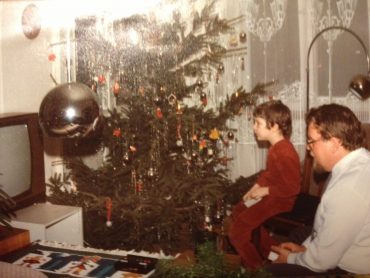
If you haven’t heard of the 1962 book that predicts (or, tries to predict) what technology will look like thirteen short years from the date of publication, please check out the Flickr photoset recently posted by Derrick Bostrom. I’m most frightened interested by the obsession with punch-card systems for language translation, making exact replicas of documents, and testing student knowledge, but the thought of irradiated beans doesn’t sit well with me, either. On the other hand, I might soon be blogging from the comfort of my own beach home:
Happy Friday, all, and have a great weekend!
[bostworld, via boingboing]
Tags: disruptive technologies • education • friday fun
6 February 2008 · 8:04 am · Barbara · 4 Comments ·
The blog takes shape, sort of
I am a visual thinker. I don’t do code. And yes, even though I teach languages words can escape me (oh what I could tell you about the number of things in our office that I have called “thing-a-ma-bob”)
However, what I can tell you what I would like the tools to do and have no qualms asking questions that begin with “Okay, so, on my class’ blog, would it be possible …” I believe I have asked this question enough in the past two or so years (and certainly o’er the last month or so) that Ryan has developed a slight nervous tick when I approach his office doorway. And this sign.
Uh oh, Barbara has another question
(Side note, I am continually reminded of how difficult this can be for some of our faculty, that is, the abililty to articulate what is missing from your class / what you would like the technology to do to enrich your class content vs jumping into the technology and hoping for the best… more on this later)
The above image is the whiteboard where I tried to “articulate” what it was that I was hoping to do via my class’ blog. Tag clouds, blog rolls, rotating images in the headers (ala Jim Groom… we < heart > Jim Groom) …yup its all there… somewhere.
And then there is the writing of the syllabus. Ick… I find the practice of creating a syllabus so constricting, so limiting. And, as indicated below…so messy.
16 weeks = 39 hours =????
I was reviewing my plans for the semester with a colleague and he shared with me this wonderful article entitled “Death to the Syllabus” written by Mano Singham of Case Western Reserve University as published in Liberal Education in Fall 2007. I have shared this with my students and await their response. It describes my frustration with the overplanned, micromanaged syllabi that we find ourselves creating… and then regretting because we have locked ourselves into an exhausting whirlygig of tasks.
Have a read and let me know what you think…
Oh and if you would like to see what “el blog central” for my class is starting to look like, please take a look here …and check back often!
Tags: disruptive technologies • edublogging • education • finding balance • HISP205 • jimgroom • language learning • students • whats and whys
31 January 2008 · 12:48 pm · Barbara · 1 Comment ·
This week I had the honor to make a presentation at ELI in San Antonio with 4 remarkable women: Leslie Madsen-Brooks, Laura Blankenship, Barbara Ganley and Martha Burtis…”The Fear 2.0 Dream Team Bloghers” as Brian Lamb reportedly referred to us later in the week.
Our topic was Fear…the fear that we as educators, technologists, individuals … feel when we explore and use new social software tools in our teaching and learning. It is also about the barricades that our institutions (rightly or wrongly) create as a way to “protect” us from those nefarious evil things “out there.” It is about our institutions keeping an external facing façade that masks any of that messy learning that might be going on in the inside. It is about disruption to the old tried and true cycles…and then repair.
Our intended outcome was to move the group BEYOND fear. To stop being paralyzed and moving through it. As BG so emphatically said as she framed the “charge” for our audience, what are the tools we need to help ourselves move through the forest of fear? Can we collectively collaborate and come up with solutions, suggestions?
The presentation was well received. Perhaps it was because we encouraged our audience to break into small groups and collaborate. Or maybe it was the sticky notes. (yay for sticky notes) Maybe it was because we did not use powerpoint. I dunno. Anyway, we seemed to have hit on something because we encouraged people to think of solutions vs spending time wallowing in despair.
Here is a link to the presentations (our digidramas). Leslie’s is a Voicethread video and we hope people will register for Voicethread and leave a comment on her video. Please leave comments there and/or on the Fear 2.0 blog too.
Our Fear 2.0 presentations.
Podcasts, keynotes, and other information about the conference can be found here
For a grand description of what the ELI is like, please see Laura’s post here
For a really interesting post on what it was like to “attend” the conference vicariously via Twitter, please read Jim Groom’s post here
THIS JUST IN! Thanks to Martha for finding this little gem (also tagged elifear08, hmmm) on YouTube
Tags: disruptive technologies • edublogging • education • ELIAnnual08 • fear2.0 • incredible connections • students • twitter
30 January 2008 · 8:17 am · Ryan · No Comments ·
[cross-posted on techotuesday]
After two days of Office2007 training, I’ve a few pieces of info that might be of interest to language folks:
- Publish Directly to Blog
This is pretty cool: if you don’t like your blog’s online post editor, or frequently need to blog when no intartubes are available, Word can automagically take content you’ve created in a document and publish it to your blog. It works with Blogger, Wordpress, Typepad, and any other blogging system that can accept posts via Atom or MetaWebLog APIs; it even stores passwords for those of us with differently-abled memory regions. Surprisingly enough, the formatting is preserved with fair accuracy (standard bolds and italics, in addition to ordered and unordered lists, transfer properly), and Word even uploads images directly to your blog or to a separate server. In theory it should work with .mp3s as well, but don’t quote me on that.
- Auto-Recognition of Language Keyboards
I’m not sure if this is true of older versions of Office or not, but if you have certain alternate software keyboards enabled, Office will automatically make certain features available to you. For example: if Word sees a Japanese keyboard installed, it will give you the option to insert pre-loaded Japanese greetings and salutations into documents. It doesn’t provide any translations for said greetings, so user beware … but I’ll give Microsoft brownie points for trying to be helpful.
- Proofing Tools
The plain vanilla installation of Office 2007 now includes French and Spanish proofing tools by default, no six-CD package necessary. For those of you who write in any other languages, you still have to purchase the proofing tools separately. Institutions still have the option to buy all the proofing tools in one shot on DVD - welcome to the 21st century - but individuals who may only need one or two languages, or who aren’t covered by a volume license, can now purchase individual language packs directly from the Microsoft website for $25USD.
- Translated UI and Help Docs
Office2003’s Proofing Tools CDs included spelling and grammar checkers, as well as dictionaries … with Office2007’s Multi-Language Pack (MLP) you can also choose whether you’d like to fully localize application menus, dialog boxes, error messages, and the Help system. Fantastic for helping students learn technical terminology in their target language; also helpful for native speakers of foreign languages (TAs?) who may not have a strong English technical vocabulary.
- Community Glossary Project
Speaking of vocabulary … for those language communities that lack technical terminology, Microsoft’s Linguistic Partnership Project is sponsoring a Community Glossary where users from around the world can collect and define terms for themselves. Unfortunately, this only exists for languages not included by the MLP, except Thai and Vietnamese.
Of course there’s a lot more to know about Office2007, including a brand-new Apple-esque menu structure in Word, Excel, and Powerpoint called the Office Ribbon (here’s a demo video if you want a quick look). And I haven’t yet gotten my hands on Office2008 for Mac, which ironically enough retains the old 2003/2004 menu structure. Anybody using either new version of Office on a regular basis? I’d be interested to hear what y’all have to say!
Tags: languages • learning centers • office2007 • office2008 • software • windows
19 January 2008 · 3:14 pm · Ryan · 1 Comment ·
This year’s Macworld keynote left me giddy with excitement about Apple’s new offerings. But I’m not talking about the MacBook Air … I’m talking about the AppleTV.
Yes yes, I know - the AppleTV has been around for quite awhile now, I’ve already posted about it once, and anyway all Apple really gave us was a (free!) software update and more storage space. But that’s the brilliant part! The AppleTV was meant to be simple … to do one thing (give me access to iTunes via my TV) and to do it easily and well. All that was really missing was enough storage space so that I could be lazy and sync my entire iTunes collection to my AppleTV, instead of going through and choosing 40GB of my most favoritest media.
For educational / informational / instructional technologists, who often need to provide students and faculty access to a vast array of digital materials on a daily basis, this isn’t a matter of laziness. Our language a/v files don’t take up a ton of space on our CMS because we’re lazy or disorganized. It’s because each textbook has its own ancilliary materials, and then there’s the student video projects going back ten semesters, and SCOLA videos, and high-res photos from a Russian Culture course, and hundreds of podcasts, and, and, and - you get the idea. It’s not like we can shove this stuff in storage; believe it or not, it gets USED. And it can’t be gone for more than a week before someone’s darkening my doorway asking where did that Russian student video about a squirrel from 2001 go … ? Besides, disk space is CHEAP. Why should I have to pick and choose?
So, at first glance, the AppleTV seems like a shoo-in. But I do have some concerns:
- Network access:
The AppleTV has a built-in wireless card, and we have full wireless coverage in our lab, but it can be flaky (as with any wireless network) depending on line-of-sight, number of concurrent users, and even that day’s foliage density. (I wish I were kidding.) It also has a built-in ethernet port, but then I’m slave to the location of live ethernet ports relative to the location of the TV or projector.
- Security:
I’m not too concerned about software security; the AppleTV’s parental controls should be enough to prevent students from downloading first-run movies on the College’s dime. I’m more concerned about hardware security. I don’t see a spot for a laptop-esque lockdown cable, and how in the world am I going to keep track of that tiny Apple Remote, especially in an A/V equipped classroom?
- Portability:
Our faculty -love- being able to run up to our lab five minutes before class, grab a movie from our collection, and show a clip of it to their students. Although having an AppleTV with said film accessible in the classroom would save them a trip to our center, I wonder if the faculty would have full access to DVD menus (including chapter selection, language & subtitle selection, etc).
- Copyright & Fair Use:
This is my biggest concern. It’s clear that making a copy of something for archival purposes is permissible under copyright law. But as I understand it, it’s not permissible to change the format of something (converting a video from PAL to NTSC, for example). So, if I were to rip a DVD to a Quicktime file, put the DVD in storage, and “check out” the .mov out to students via an AppleTV - am I breaking copyright? What happens if I sync multiple AppleTVs with one iTunes library? Now I’ve got multiple digital copies of a movie floating around, and only one license to cover them all. Can I tell iTunes to only allow one AppleTV access to a file at a time?
Anybody else - concerns, questions, comments?
Tags: apple tv • disruptive technologies • hardware • macworld2008 • video tools • whats and whys